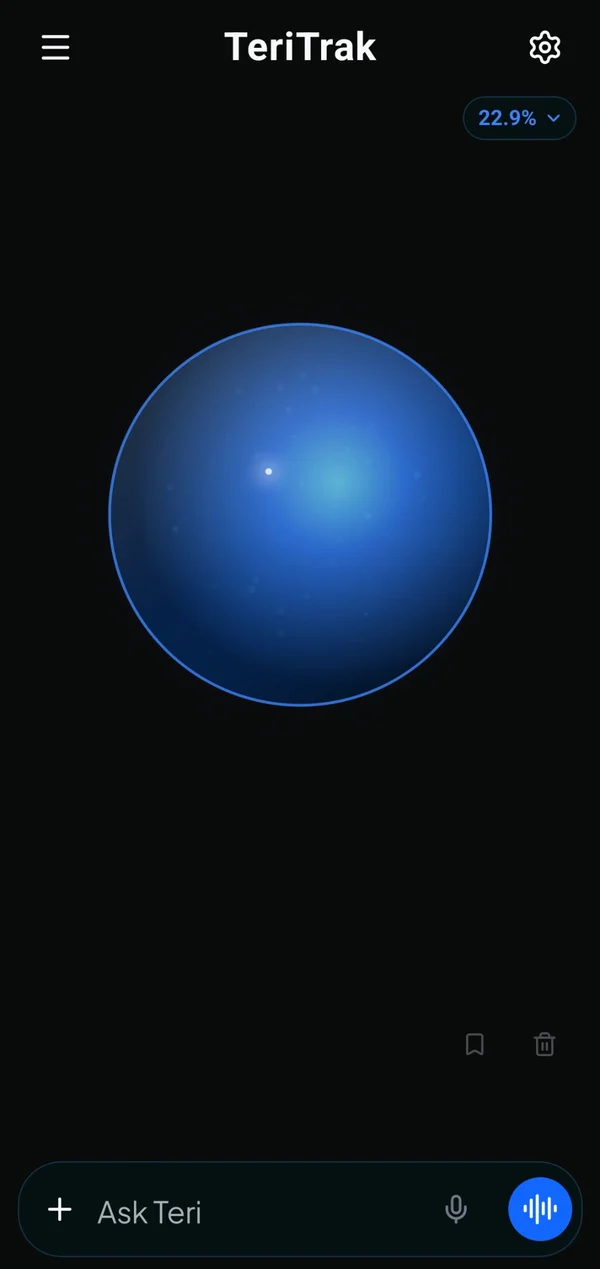
AI sales execution assistant

Spend your day selling. Teri handles the follow-through.

Teri prepares you for meetings, captures what happened, organizes follow-ups, and keeps your deals moving—without turning the end of every day into CRM cleanup.

Teri prepares actions for review. You stay in control of sensitive changes.

The execution gap

Sales work happens in conversations. CRM updates happen later—or not at all.

Field sales professionals and small sales teams spend their days in meetings, calls, travel, and follow-up. The work that matters most is often left in memory, notebooks, inboxes, or calendars until there is time to catch up.

  1. Context gets lost

    The most useful sales information lives in conversations, handwritten notes, calendars, and memory.

  2. Follow-up becomes administrative work

    After the meeting, reps still have to create activities, schedule tasks, update deals, and remember every commitment.

  3. Deals quietly lose momentum

    When updates happen late, next actions disappear, opportunities stall, and managers see an incomplete picture.

TeriTrak is built for the gap between doing the sales work and documenting it.

It helps turn real conversations into organized execution—while keeping the rep in control.

From conversation to execution

Tell Teri what happened. Review the work she prepares.

Speak naturally after a customer interaction. Teri organizes the important context, follow-up, and deal changes into clear actions you can review.

Illustrative workflow

Example data shown for demonstration.

The rep says

Teri, I met with Jordan Lee at Northstar Industries. The meeting went well. Move the Enterprise expansion deal to Negotiation and remind me Friday to send the revised proposal.

Teri understands

Account
Northstar Industries
Contact
Jordan Lee
Deal
Enterprise expansion
Interaction
Customer meeting
Commitment
Send revised proposal Friday
Deal stage
Negotiation-stage request

Teri prepares

  1. Activity prepared

    Customer meeting with Jordan Lee at Northstar Industries

    Customer meeting completed and linked to the Enterprise expansion deal.

    Ready to capture
  2. Follow-up prepared

    Send revised proposal

    Due Friday and linked to Northstar Industries, Jordan Lee, and the Enterprise expansion deal.

    Ready to create
  3. Deal update

    Move Enterprise expansion to Negotiation

    Sensitive pipeline changes stay pending until a rep reviews and approves them.

    Review required

Built around the sales day

Teri helps before, after, and between every customer conversation.

The work changes throughout the day. TeriTrak keeps the customer context and follow-through connected so reps can move from one conversation to the next without rebuilding the story.

Illustrative examples shown for demonstration.

Before the meeting

Walk in prepared without rebuilding the account history.

Teri brings together the upcoming meeting, account, contacts, active opportunities, recent activity, open commitments, and relevant product context into a concise preparation view.

  • Know who you are meeting and what matters.
  • Review the latest conversations and unresolved commitments.
  • Enter with a clear objective and the right questions.

Illustrative meeting brief

Account
Northstar Industries
Meeting
Jordan Lee — Customer meeting follow-up
Recent context
Customer meeting completed
Open commitment
Send revised proposal Friday
Meeting objective
Confirm decision process and next step

After the meeting

Turn the conversation into organized follow-through while it is still fresh.

Tell Teri what happened once. Teri prepares the interaction, follow-up, notes, and reviewable updates so the important details do not have to be entered again across multiple places.

  • Capture the customer context once.
  • Prepare clear next actions and due dates.
  • Review sensitive changes before they are applied.

Illustrative follow-through

Prepared from
the conversation
Activity
Customer meeting completed
Follow-up
Send revised proposal Friday
Deal note
Decision process discussed
Sensitive update
Stage change pending reviewReview required

Between meetings

Keep commitments visible while the day keeps moving.

TeriTrak keeps upcoming customer conversations, open follow-ups, overdue commitments, and relevant account context close at hand so the next obligation is easier to see.

  • See what needs attention next.
  • Keep customer commitments from disappearing.
  • Move between accounts without losing the context.

Illustrative execution view

Next up
10:30 AM / Proposal follow-up — Northstar Industries
Open commitment
Confirm pilot review date
Needs attention
Two overdue follow-upsNeeds attention
Account context
Recent activity ready before the next call

Across the pipeline

Keep every active opportunity connected to a real next action.

TeriTrak connects account activity, tasks, meetings, notes, and deal context so reps can see which opportunities are moving and which ones need a meaningful next step.

  • See which opportunities need attention.
  • Understand the latest meaningful customer activity.
  • Keep the next action connected to the deal.

Illustrative pipeline context

Enterprise expansion
Next action: Send revised proposalNext action set
Service renewal
Next action: Confirm renewal decision processNext action set
Pilot program
No next action recordedNo next action

TeriTrak keeps the customer conversation, the commitment, and the opportunity connected.

The result is less rebuilding, clearer follow-through, and a more complete view of what should happen next.

Keep the pipeline moving

Know which deals need attention—and what should happen next.

TeriTrak connects the latest customer activity, open commitments, deal risks, and next actions so reps can see where an opportunity stands without rebuilding the story.

  • See deals that have no clear next action.
  • Recognize overdue customer commitments.
  • Understand the latest meaningful activity.
  • Keep the next step connected to the opportunity.

Illustrative deal execution view

Example opportunity data shown for demonstration.

Opportunity

Enterprise expansion

Needs attention

Proposal follow-up is overdue.

Next action
Send revised proposal
Latest meaningful activity
Customer meeting completed.

Opportunity

Service renewal

Next action set

Renewal planning is active.

Next action
Confirm renewal decision process
Latest meaningful activity
Stakeholder follow-up completed.

Opportunity

Pilot program

No next action

Recent account activity is available, but the next commitment has not been recorded.

Next action
Define the next customer step
Latest meaningful activity
Account review completed.

Run the day with clarity

See the conversations, commitments, and priorities that deserve attention today.

TeriTrak brings the rep’s schedule, activities, tasks, events, follow-ups, Daily Debrief, and focused products into one practical view of the day.

  • Prepare for the next customer conversation.
  • Keep open tasks and commitments visible.
  • See what needs attention before the day ends.
  • Stay focused on the products and opportunities that matter.

Illustrative daily execution view

Example schedule and priorities shown for demonstration.

Today’s schedule

  • Northstar Industries customer meeting follow-up
  • Proposal follow-up

Open commitments

  • Send revised proposal FridayDue next
  • Confirm pilot review dateNeeds attention

Daily Debrief

Beta

Customer follow-up is the priority before the day closes.

Review the day’s conversations, open commitments, and opportunities that need another step.

Focused products

Keep the products tied to today’s customer conversations visible.

  • Core Solution
  • Premium Package

Fits into the tools you already use

Keep sales execution connected without turning integrations into another project.

TeriTrak brings useful calendar and customer context into the rep’s workflow while keeping the core experience valuable even when no external system is connected.

  • Core sales execution works without an external connection.
  • Integration availability is shown clearly before a user depends on it.
  • Provider credentials stay protected and are never exposed to Teri.

Integration availability

Google Calendar

Available

Bring upcoming meetings into the TeriTrak workflow and keep customer-event context connected to the day.

Integration availability

Outlook Calendar

Beta

Use Microsoft calendar context with TeriTrak while the Outlook experience continues through beta validation.

Integration availability

Salesforce

Coming soon

Planned organization-level support will help connect enterprise CRM records with TeriTrak’s rep-execution workflow.

Integration availability

Concur

Coming soon

Planned enterprise support will connect TeriTrak receipt preparation with established expense workflows.

Built for the rep. Ready to grow with the team.

Start with personal execution. Add collaboration and visibility as the organization grows.

TeriTrak is designed first for field sales professionals and small sales teams doing the work. Team and organization capabilities build on that foundation without exposing unrelated private sales data.

For individual reps

Run your territory with less administrative rebuilding.

Keep accounts, contacts, deals, activities, tasks, events, receipts, and Teri’s follow-through centered on your own day.

  • Prepare for customer conversations.
  • Capture follow-through while it is fresh.
  • Keep deals and commitments connected.

For small teams

Collaborate on the deal without opening every private record.

Beta

Shared-deal collaboration lets approved teammates contribute relevant notes and execution activity while unrelated private accounts, contacts, receipts, and raw voice data remain protected.

  • Share specific opportunities.
  • Coordinate relevant activities and follow-up.
  • Preserve private data outside the shared deal.

For organizations

Create a clearer view of execution across the sales organization.

Coming soon

The planned management portal will give authorized leaders a secure view of pipeline, deal progress, rep execution, and organization administration through role-scoped access.

  • Review authorized pipeline and deal context.
  • Understand follow-through across approved teams.
  • Manage members, roles, integrations, and subscription visibility.

Illustrative collaboration model

Example access scopes shown for demonstration.

Rep workspace

  • Private accounts
  • Private contacts
  • Private receipts
  • Private raw voice data

Shared deal

  • Deal summary
  • Relevant notes
  • Activities
  • Tasks
  • Events

Management portal

Coming soon
  • Organization-level visibility
  • Role-scoped access

Security built into execution

Teri can help prepare the work without bypassing the rules that protect it.

TeriTrak keeps final trust in the backend. Permissions, organization boundaries, required fields, relationships, and business rules are checked before protected data is viewed or changed.

  • Sensitive changes stay reviewable

    Deal-stage changes and other sensitive updates remain pending until an authorized user reviews them.

  • Permissions are enforced by the backend

    Protected requests are checked against the user, organization membership, role, and permitted record access before data is returned or changed.

  • Data stays within its authorized scope

    Private records remain private, and shared-deal access is limited to the collaboration context granted for that opportunity.

  • Integration credentials stay out of AI

    Provider passwords, authorization tokens, and integration secrets are not sent to Teri or included in AI context.

  • AI output is validated before persistence

    Structured AI results are checked against required fields, relationships, permissions, and business rules before a write is applied.

Plans for the way you sell

Start with the essentials. Add Teri, collaboration, and organization support as you grow.

TeriTrak offers a clear path from core sales tracking for an individual rep to AI-assisted execution, shared-deal collaboration, and organization-level capabilities.

  • Core sales tracking starts free.
  • AI allowances and collaboration increase with the plan.
  • Future organization capabilities remain clearly labeled until available.

Free

$0

No monthly subscription

For reps who want a structured place to manage the sales day.

AI allowanceNo monthly AI allowance

  • Accounts, contacts, and deals
  • Activities, tasks, events, and notes
  • Manual receipt tracking
  • Core sales-execution organization
  • No monthly AI allowance

Pro

Recommended

$19

per month

For individual reps who want Teri and AI-assisted execution.

AI allowance1,000 AI Units each month

  • Everything in Free
  • Teri AI sales assistant
  • Receipt OCR and receipt export
  • Deal intelligence and Daily DebriefBeta
  • 1,000 AI Units each month

Pro + Teams

$29

per month

For reps who collaborate on shared opportunities.

AI allowance2,000 AI Units each month

  • Everything in Pro
  • Shared-deal collaborationBeta
  • Relevant collaborator notes and activity
  • Private unrelated records remain protected
  • 2,000 AI Units each month

Organization

$49

per user/month

For sales organizations that need roles, collaboration, pooled administration, and enterprise integration support.

AI allowance3,000 AI Units each month

  • Everything in Pro + Teams
  • Organization membership and role administration
  • Organization-level AI allowance
  • Salesforce supportComing soon
  • Management portalComing soon

Enterprise

Custom

Custom agreement

For organizations with custom identity, security, integration, deployment, or commercial requirements.

AI allowanceCustom AI allowance

  • Everything in Organization
  • Custom identity and access requirements
  • Custom integration planning
  • Security and procurement support
  • Volume and contract terms
  • Prices shown in USD.
  • Organization pricing is per user per month.
  • Enterprise pricing is based on custom requirements.
  • Purchase and account actions will be activated only when the corresponding destinations are ready.

Clear answers

Questions sales teams ask before they trust a new tool.

Straight answers about TeriTrak’s role, automation, integrations, plans, and data access.

Is TeriTrak a CRM?

TeriTrak includes accounts, contacts, deals, activities, tasks, and events, but it is positioned as an AI sales execution assistant—not a traditional CRM replacement. It helps field reps prepare, capture customer interactions, organize follow-through, and keep deals moving alongside the systems they already use.

Who is it for?

TeriTrak is for individual field sales professionals, small sales teams, and organizations that want clearer execution before, after, and between customer conversations. It is designed for field sales across industries.

Does Teri change records automatically?

Teri can prepare lower-risk actions and proposed updates, but sensitive changes such as moving a deal stage require review. Every write is still checked against backend permissions, required fields, relationships, and business rules before it is applied.

Does it work with Salesforce?
Coming soon

Salesforce support is planned for organization-level workflows and is not presented as live until the integration is ready. It will be evaluated against the same organization-aware workflow boundaries as other planned organization capabilities before it is made available to customers.

Is there a free plan?

Yes. The Free ($0) plan includes core manual sales tracking with no monthly AI allowance. Teri and other AI-assisted features begin with paid plans and remain unavailable on the Free plan.

Is customer data private?

TeriTrak uses user-, organization-, role-, and record-aware permissions. Shared-deal access is limited to the opportunity context granted to collaborators and does not expose unrelated private accounts, contacts, receipts, notes, or raw voice data.

Dedicated product, team, security, contact, and legal pages will be added as their public destinations are activated.